Overview
This project demonstrates how Tor (The Onion Router) can be used on Kali Linux to automatically rotate a public IP address at defined intervals. By routing browser traffic through the Tor network and using a lightweight automation tool, it is possible to observe frequent IP changes while ensuring DNS information remains protected. The aim of this project is to understand how Tor-based anonymisation works in practice, how IP rotation behaves, and how DNS leaks can be avoided when browsing through the Tor network.
Installing Tor
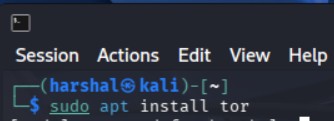
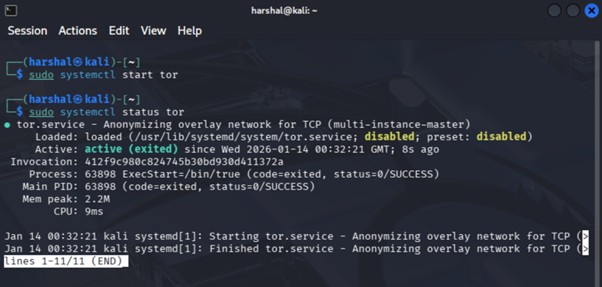
Tor is installed using the default package manager. Once installed, the Tor service is started and its status is verified to ensure it is running correctly. Running Tor as a system service allows circuits to be rebuilt automatically without manual intervention. At this stage, Tor is active in the background but not yet being used by the browser.
Python and Tornet Setup
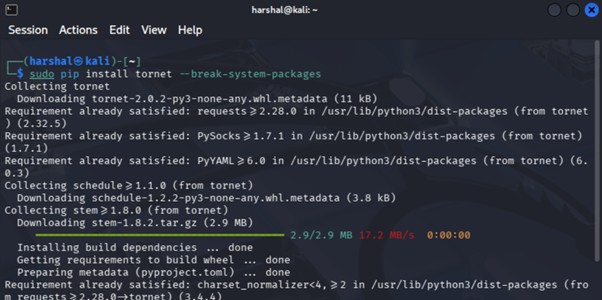
Python is required to run the IP rotation tool. Kali Linux already includes Python by default, so no additional installation is necessary. The next step is installing tornet, a lightweight script that forces Tor to request new circuits at a defined interval. Older versions of tornet did not require additional flags, but newer environments may require system package overrides.
This tool allows:
Automated IP rotation , Custom rotation intervals & Unlimited or fixed IP changes

Browser Configuration (Firefox)
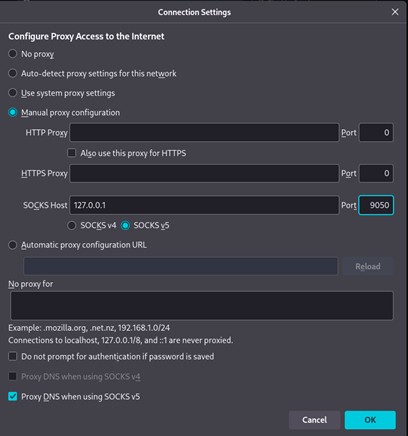
Before using tornet, the browser must be configured correctly to avoid DNS leaks. Firefox is configured to route all traffic through a SOCKS v5 proxy provided by Tor. Crucially, DNS over SOCKS v5 is enabled, ensuring DNS queries are also anonymised rather than being resolved locally. This step is essential. Without it, the public IP may appear hidden while DNS requests still reveal identifying information.
Running Tornet
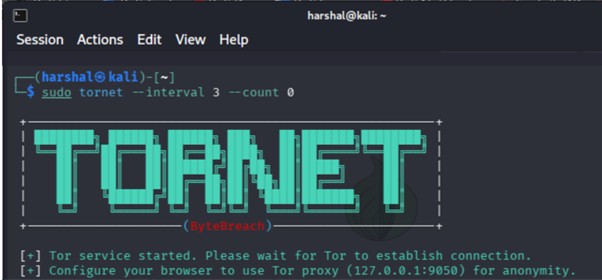
With Tor running and the browser correctly configured, tornet can now be executed. Two key parameters are used:
• –interval – defines how often a new Tor circuit is requested (in seconds)
• –count – defines how many IP changes occur
In this demonstration, the interval is set to 3 seconds. The count is set to 0, meaning infinite rotation. As a result, the exit IP changes every three seconds continuously.
Verifying Tor Connectivity
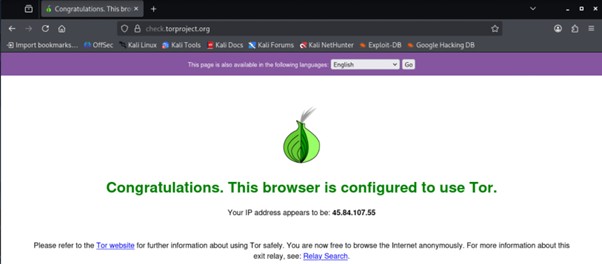
Once tornet is active, the browser is opened and checked to confirm it is connected to the Tor network. Tor’s confirmation page verifies that traffic is successfully being routed through Tor and not directly through the local network.
Testing IP and DNS Leakage
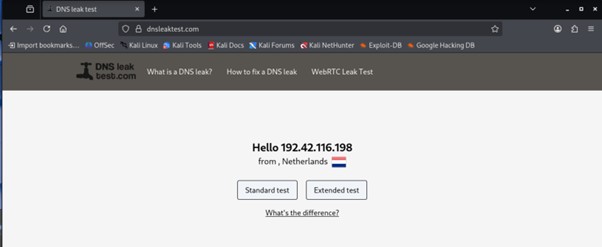
To validate the setup, an external IP and DNS testing website is used.
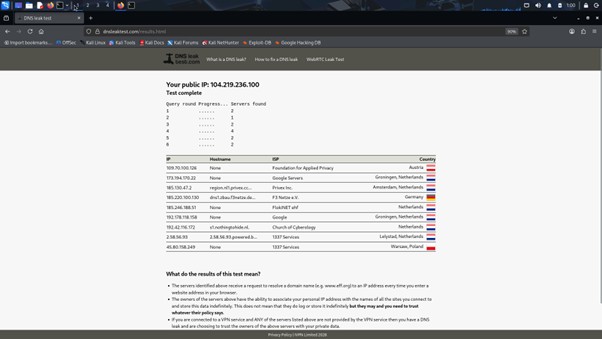
The results show:
The public IP address does not match the real network IP
IP addresses change frequently upon refresh
Extended DNS tests confirm no DNS leakage
Refreshing the page repeatedly shows different exit nodes, confirming that IP rotation is working as expected and DNS information remains hidden.

Conclusion
This project demonstrates a practical implementation of Tor-based IP rotation on Kali Linux, highlighting both IP anonymisation and DNS leak prevention. It shows how easily Tor circuits can be rebuilt at short intervals and why IP-based identification alone is unreliable when analysing anonymised traffic. From a cyber-security perspective, this reinforces the importance of behavioural analysis over IP trust, understanding how Tor traffic appears in logs and correct proxy and DNS configuration.