Overview
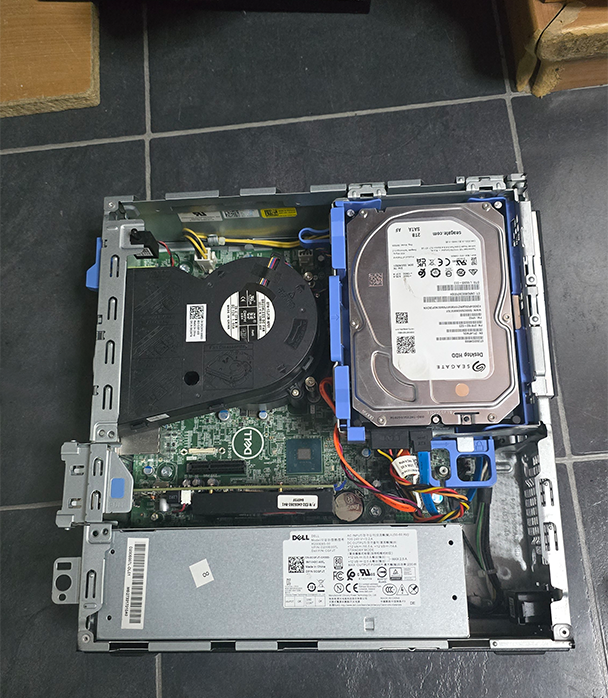
This project demonstrates how an old Dell Small Form Factor (SFF) desktop was transformed into a fully functional Network Attached Storage (NAS) server. Rather than purchasing an expensive NAS enclosure, existing hardware was repurposed to provide dedicated storage for files, media, and backups.
The objective was to create a low-cost storage solution using readily available hardware while extending the life of a system that would otherwise remain unused.
Hardware Configuration
The NAS consists of three storage devices, each serving a dedicated purpose.
The storage configuration includes:
256GB NVMe SSD – Debian Linux operating system
2TB HDD – General data storage
2TB SATA SSD – Media storage
512GB NVMe SSD – Backup / Media storage
Using separate drives for the operating system, media, and data helps keep storage organised while improving overall responsiveness.
Installing Debian Linux
Debian Linux was selected as the operating system due to its stability, lightweight resource requirements, and extensive software support.
The operating system was installed on the NVMe SSD, providing fast boot times and responsive system performance. Once installed, the system was configured for storage services. Future remote support will be implemented using tailscale.
Expanding Storage Capacity
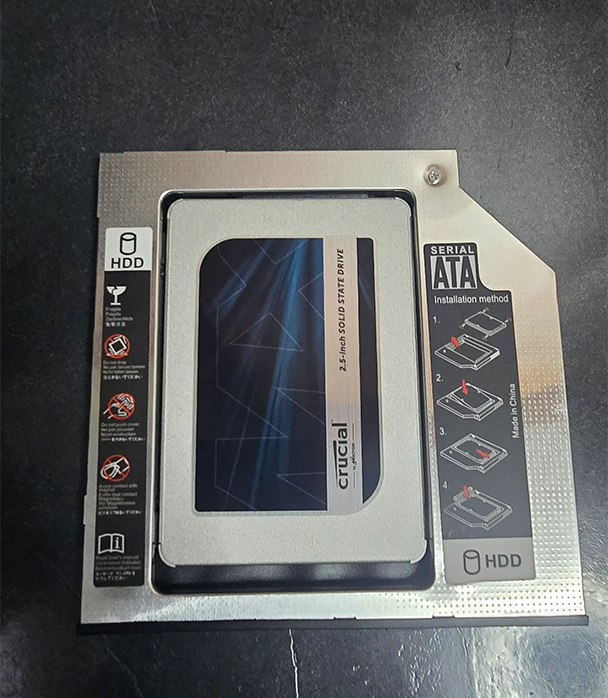
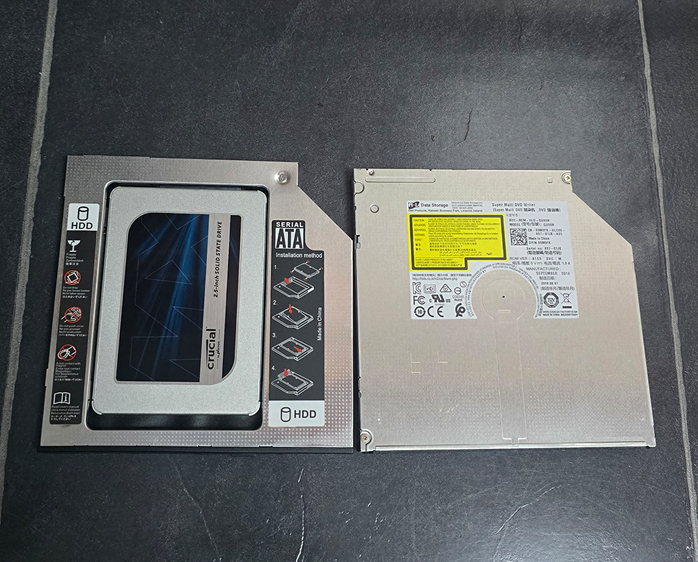
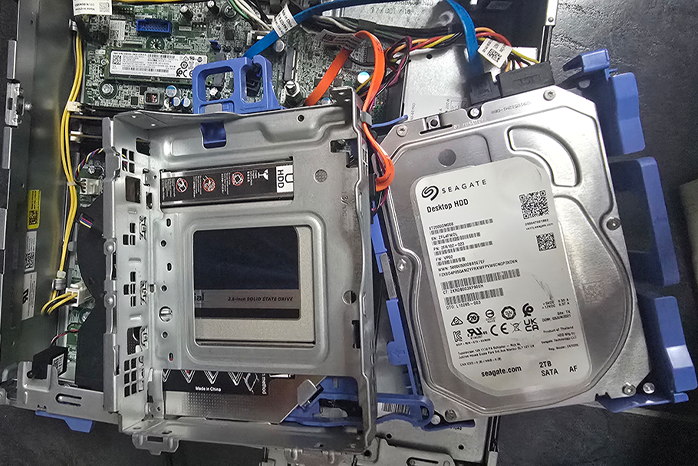
One challenge encountered during the build was finding space for the additional 2TB SATA SSD.
The Dell SFF chassis did not provide a dedicated mounting location for another drive. To overcome this limitation, the DVD drive was removed and replaced with a SATA SSD caddy adapter (no additional cables were needed as the DVD SATA cables were reused). As optical drives are rarely used today, the DVD bay provided an ideal solution for adding additional storage without modifying the chassis.
Repurposing the PCIe Slot: GPU to NVMe Adapter
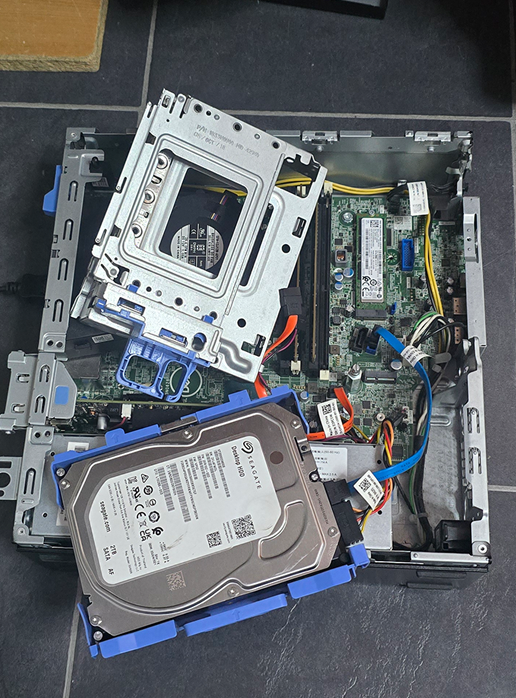
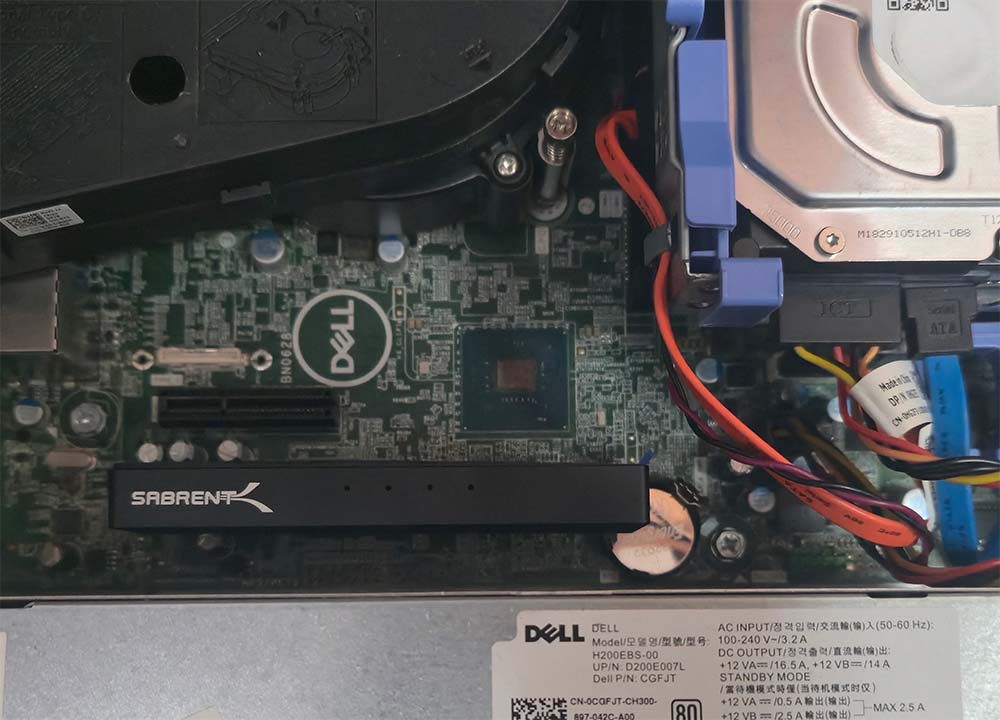
Since the NAS runs headless with no need for dedicated graphics output, the graphics card was removed to free up the PCIe slot for additional storage.
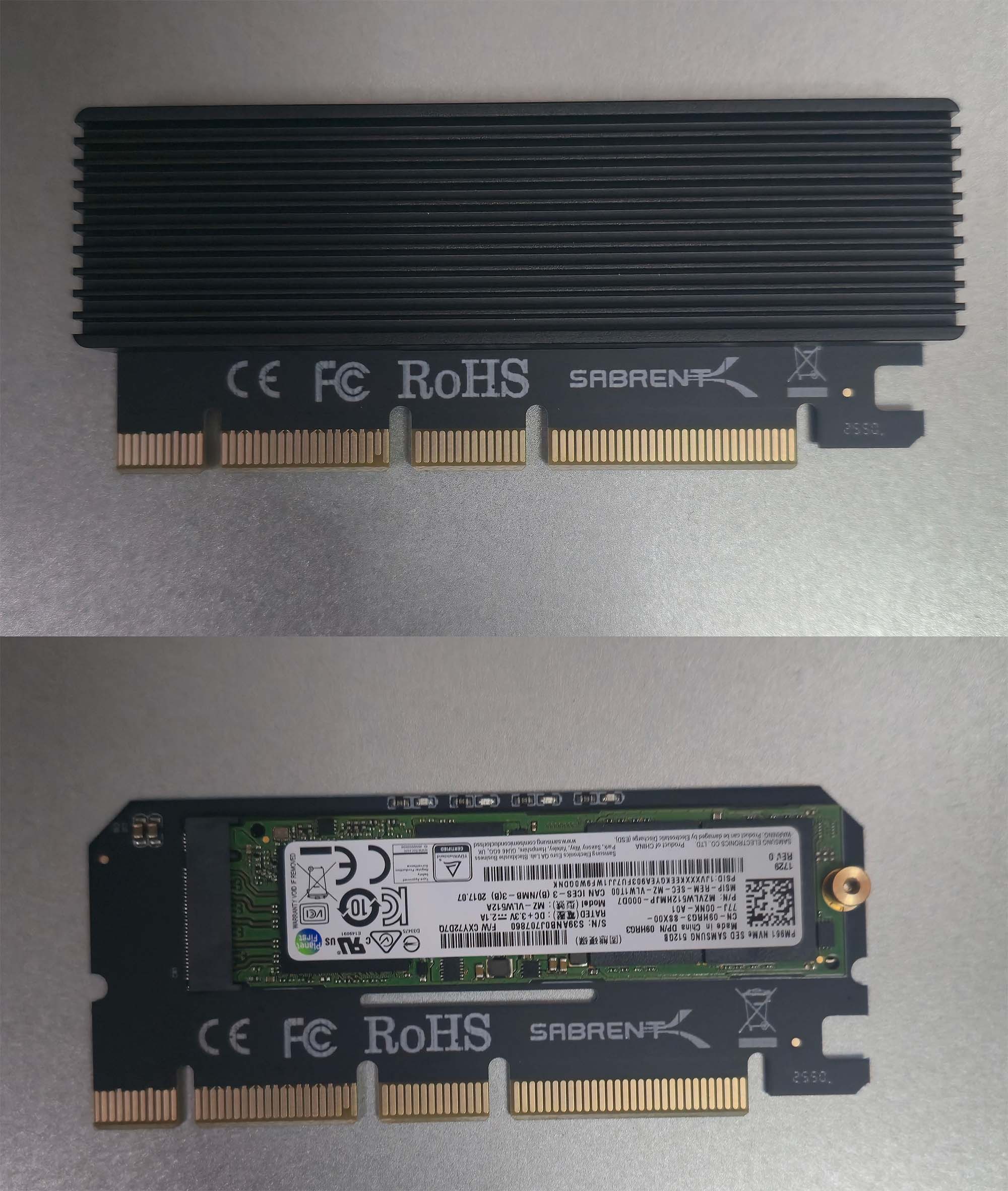
In its place, a PCIe-to-NVMe adapter was installed, allowing an extra NVMe SSD (512GB) to be added to the system. This was a straightforward swap — the GPU was unseated from the PCIe x16 slot, and the adapter card with the NVMe drive attached was slotted in its place.
This change offered a couple of clear benefits:
Freed up the DVD bay approach as the only option for expansion — the PCIe slot became a second avenue for adding storage
No loss of functionality, since the NAS never required graphics acceleration in the first place
Significantly more storage headroom without touching the existing HDD, SATA SSD, or boot NVMe
Storage Configuration
Once all drives were installed, storage was organised according to its intended purpose.
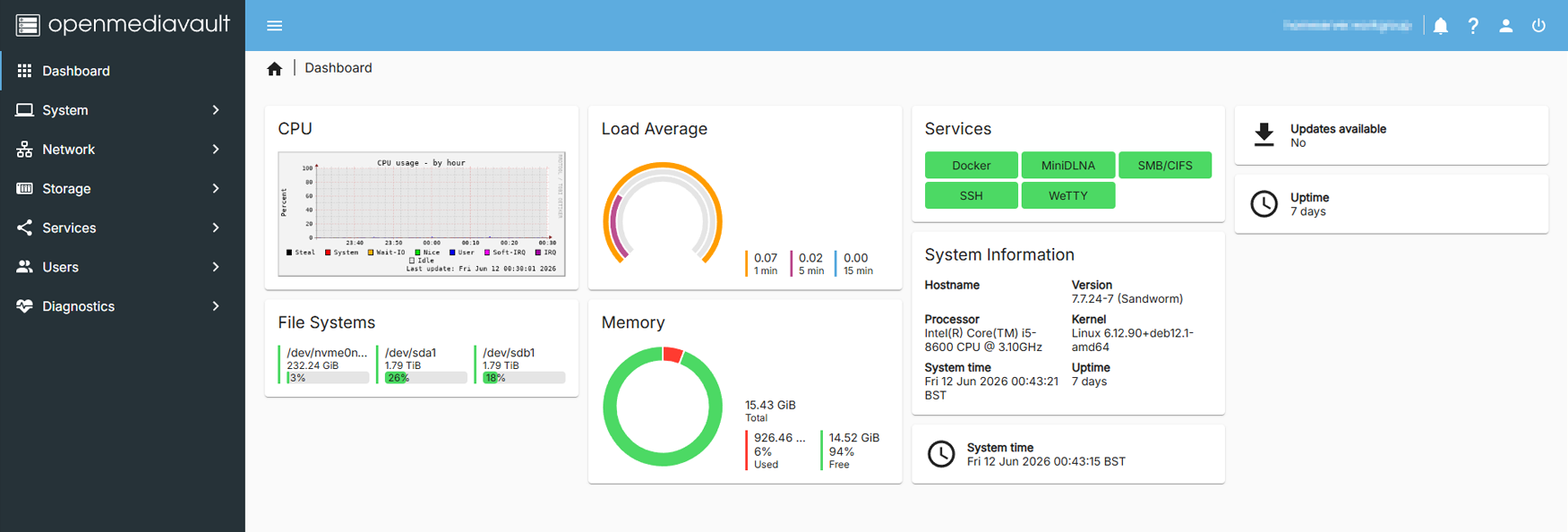
The 2TB HDD is used for general file storage and shared data across the network.
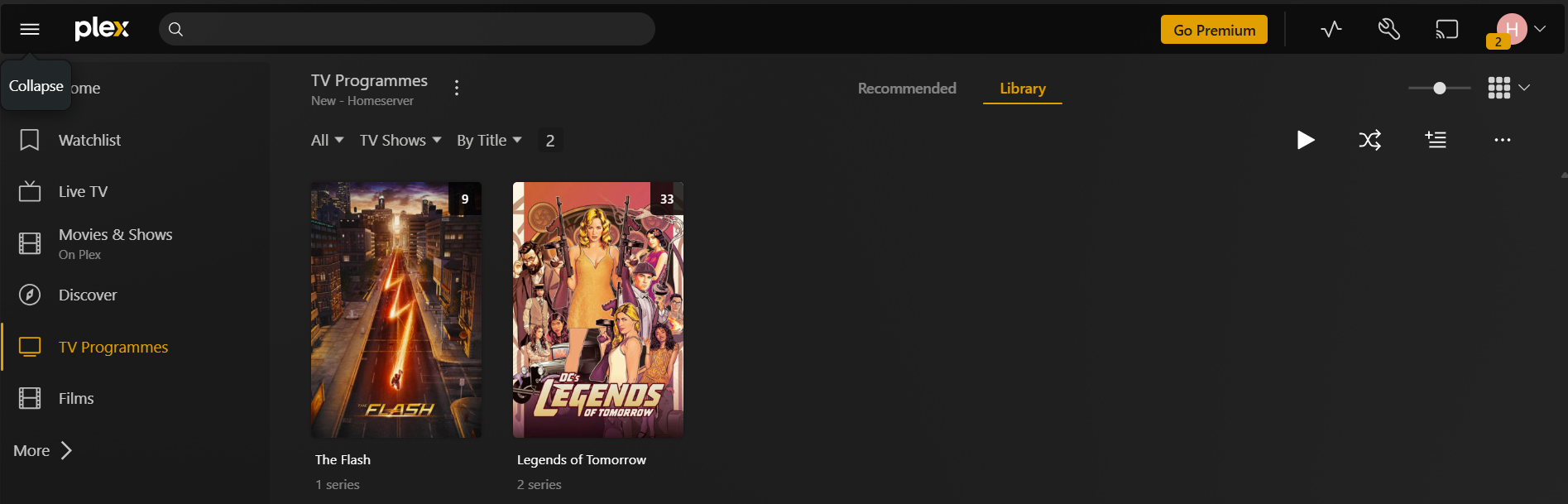
The 2TB SATA SSD is dedicated to media content, allowing applications such as Plex to access media files quickly.
The NVMe SSD hosts the OpenMediaVault operating system and currently has additional capacity available. I’ve already setup the SSD to be used as additional storage but won’t use it for now. In the future, unused space may be repurposed as a backup destination for important files and system snapshots.
The new PCIe NVMe SSD adds further flexibility to the storage pool, which will be used as a backup folder.
Network Shares
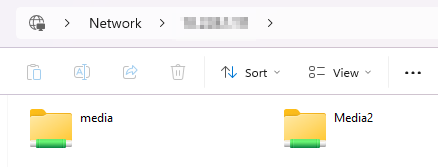
The NAS was configured to provide shared storage across the local network.
This allows files to be accessed centrally from multiple devices without relying on cloud services or external storage devices. Separating media and data storage also simplifies management and future expansion. In fact the plugin MiniDLNA, is used to share it across all platforms which include computer, phones, TV and consoles (as tested and worked).
Why Build Instead of Buy?
Dedicated NAS appliances can be expensive, particularly when storage drives are purchased separately.
By reusing existing hardware, the total cost of the project was significantly reduced while still providing:
Centralised storage
Media hosting
Backup capabilities
Upgrade flexibility
Full control over the operating system and services
For many home users, a repurposed office PC provides more than enough performance for everyday NAS tasks. I can also turn it off when not in use to keep it more secure. Furthermore, I have setup magic packets so that I can turn on the server from my phone, rather then physically heading to turn on the power button.
Conclusion
This project demonstrates how a used Dell Small Form Factor PC can be repurposed into a capable NAS server using a combination of SSD and HDD storage. By installing Debian Linux on an NVMe SSD and utilising both a hard drive and SATA SSD for dedicated storage roles, the system provides a practical and cost-effective alternative to a dedicated NAS appliance.
From a home-lab perspective, the project highlights how older hardware can continue to provide value through self-hosted storage, media services, and future backup solutions while remaining significantly cheaper than purpose-built NAS hardware.